Last week I was half-asleep, staring at the ceiling, when my roommate said: “Hey Google, play something chill.” The speaker woke up. Our lights shifted. Spotify started. And I suddenly thought: “Wait, what else is this thing listening to at 2 a.m.?”
Smart speakers in dorms are incredibly convenient, but they are microphones first and gadgets second. TL;DR: Smart speakers can make dorm life easier and more fun, but they also create real privacy risks around accidental recordings, roommate consent, data collection, and campus rules. If you are going to keep one in your room, you need ground rules with roommates, strict privacy settings, and a clear idea of what you do not want near a live mic.
What smart speakers actually do in a dorm
At some point, these devices stopped feeling futuristic and started feeling like furniture. But from a dorm perspective, they do a lot more than just play music.
- They listen for wake words (“Alexa”, “Hey Siri”, “Hey Google”) using microphones that are always on.
- They send short audio clips to company servers for processing when activated.
- They run “skills” or “actions” that connect to third-party services, from Spotify to food delivery to smart lights.
- They store voice history that can be reviewed, deleted, or in some cases used to train algorithms.
It feels casual: background music, quick timers, random trivia while you get ready for an exam. But in a dorm, the context is different from a family living room. You have:
| Factor | Why it matters in dorms |
|---|---|
| Shared space | Roommates and guests are recorded around a device they did not set up or agree to. |
| Higher turnover | People cycle in and out all year: friends, project groups, partners, residents on your floor. |
| Sensitive conversations | Grades, mental health, relationships, group gossip, even minor rule-breaking. |
| Student status | You are dealing with campus rules, student codes of conduct, and sometimes research policies. |
A smart speaker in a dorm is not just “your” gadget. It is infrastructure for everyone who steps into that tiny shared box you call a room.
The tech is not evil by default. It is just not neutral. It reshapes how sound in your room turns into data.
Where the convenience actually helps
When I started writing this, I realized I use my smart speaker more than I thought. Not for anything glamorous, just small repetitive things that add up.
1. Daily routines: alarms, reminders, timers
This is the classic student use case.
- Waking up for early lectures. “Alexa, set an alarm for 7:15 a.m.”
- Short focus blocks. “Hey Google, set a 25-minute timer” for a Pomodoro session.
- Reminders. “Remind me at 3 p.m. to submit my assignment.”
The convenience here is trivial but constant. You do not need to touch your phone, unlock it, get distracted by messages, then forget why you opened it in the first place.
2. Study support: background sound and quick facts
There is that weird comfort in saying: “Play lo-fi beats” and letting the room shift into study mode.
Use cases that actually help:
- Ambient sound to block hallway noise.
- Quick questions: “What is 17 percent of 86?” or “How do you spell ‘mnemonic’?”
- Language practice: asking phrases, pronunciations, or translations.
Smart speakers are like extremely patient teaching assistants for basic questions, which frees your brain for the harder stuff.
You save time for concept work instead of mental arithmetic or fighting with spelling.
3. Social glue: music, shared jokes, and hosting
Dorm hangouts often orbit around a speaker.
Typical patterns:
- Shared playlists with roommates and friends.
- Asking for jokes or trivia during late-night stress breaks.
- Background music during small parties or board game nights.
There is also a subtle social benefit: people can control the vibe without grabbing someone else’s phone. Saying “Skip” out loud feels less invasive than yanking a phone off an aux cable.
4. Accessibility and neurodiversity support
For some students, voice control is not just “cool”; it is practical.
Examples:
- Students with mobility challenges using voice to control lights or plugs.
- Students with ADHD or executive function issues using frequent spoken reminders.
- Visually impaired students using voice to interact with calendars, messages, or timers.
For some people, a smart speaker is less like a gadget and more like a tool that makes basic tasks less exhausting.
This angle matters when you think about blanket “no speakers” rules from roommates or housing policies.
The actual privacy risks hiding under all that convenience
Here is where things get less cozy. The device in your room is, very literally, an always-on microphone tied to a corporate server somewhere.
1. Always-listening mics and accidental triggers
Smart speakers listen continuously for a wake word. The company line is: “We only record after the wake word.” Real world behavior is messier.
Risks:
- False wakes: The speaker mishears something like “Alexis” as “Alexa” and starts recording.
- Background capture: It can record parts of conversations that have nothing to do with the device.
- Silent updates: Microphone behavior can change with software updates that you barely notice.
The scary part is not that the mic listens. The scary part is that you cannot always tell when it started or stopped.
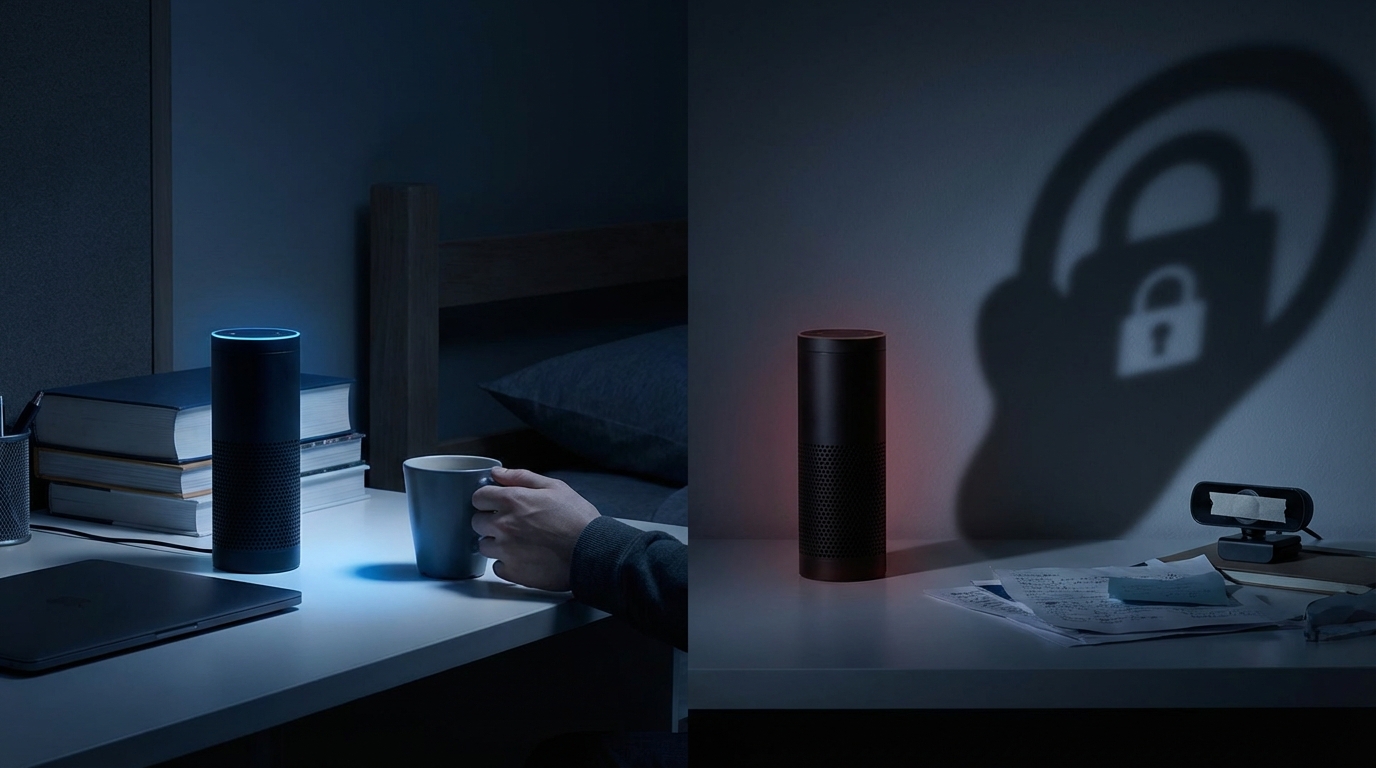
Many of these devices show visual cues (like a light ring) when listening. In a cramped, messy room with different light levels, you will miss that signal often.
2. Roommate and guest consent
Dorm rooms are not single-user spaces. Even if you are in a single, you still host people.
Key questions:
- Did your roommate explicitly agree to being around an always-on mic?
- Do guests know they are in a room with a device that might be recording?
- If someone visits to talk about mental health, grades, or personal drama, is that audio bouncing through a tech company’s servers?
This is where your personal convenience clashes with someone else’s privacy comfort level.
Some campuses already treat secret recording as a conduct violation, especially for sensitive contexts (RA conversations, disciplinary meetings, study groups). A smart speaker may not be “secret,” but if people forget it is there, the effect is similar.
3. Data retention and who hears your voice
When a smart speaker records, the snippet usually goes to company servers. There, several things can happen:
- Stored as part of your “voice history.”
- Used to improve speech recognition models.
- Sometimes reviewed by human contractors or employees (even if anonymized).
Companies have been caught in scandals over employees listening to “small samples” of user audio for quality control. Marketing says the data is anonymized, but even “anonymous” audio can contain names, room numbers, or specific campus details.
Think about your voice history like search history, but with your roommate’s mental breakdowns and your group gossip in it.
Some systems let you turn off data sharing or auto-delete audio after 3, 18, or 36 months. Most people never touch these settings.
4. Link to your real identity and student life
Look at what your smart speaker account connects to:
- Personal email address that might be your campus email.
- Contacts, calendar events, and reminders about classes.
- Payment methods, shopping lists, food delivery accounts.
From that, a profile can form over time:
| Data type | What it can reveal |
|---|---|
| Music requests | Preferences, moods, sometimes cultural or political leanings. |
| Reminders and calendar | Class schedule, exam weeks, stress points. |
| Shopping and food | Diet, health choices, financial behavior. |
| Smart devices | When you are probably home or away. |
Individually, none of this feels dramatic. Together, it is a detailed picture of a student life cycle.
5. Abuse and surveillance scenarios
The risk is not only corporate.
Think about:
- Roommate misuse: One roommate checks voice history or uses the device to spy on the other (time you came home, music you played with someone, etc.).
- Ex-partner issues: If an ex still has access through shared accounts, they might see some of your activity.
- Harassment or pranks: Saving embarrassing voice clips, or using routines to annoy someone.
In extreme but realistic cases, someone could:
- Configure routines that trigger at weird hours.
- Connect the device to cameras or plugs without clear consent.
- Hide a small speaker in a shelf or behind a TV.
Any device that turns sound into data can be misused by someone who understands the settings better than you do.
6. Campus rules, law, and gray zones
There are three overlapping rule sets here:
- National or regional privacy and recording laws.
- Campus housing policies and student conduct codes.
- Platform terms of service from the company that makes the speaker.
Potential problems:
- Some places have “two-party consent” recording laws. Recording someone without consent can be illegal.
- Campuses may forbid recording in certain spaces (like counseling centers, exams, or dorm hallways).
- RAs might treat repeated accidental recordings of private meetings as a violation.
Even if no one sues you, you could still end up in a conduct hearing after a complaint.
How to balance convenience with privacy without being paranoid
You do not need to throw your device in the nearest river. You do need to treat it like a serious piece of infrastructure that lives in a tiny social lab.
1. Start with a roommate “data treaty”
Before you plug anything in, have the conversation. It may feel awkward, but the alternative is worse.
Points to cover:
- Consent: Ask clearly: “Are you comfortable having a smart speaker in the room?”
- Boundaries: Are there topics that should never be discussed near the speaker (mental health, grades, family issues)?
- Settings: Agree that mic mute is on by default during certain times (sleeping, private calls, serious talks).
- Access: Decide who can control the settings and the account. One owner or shared?
You might discover that your roommate has had a bad experience with surveillance at home, or has family members who work in security. Their risk tolerance could be very different from yours.
If your roommate is not comfortable, you are taking a bad approach by pushing the device on them. Privacy is asymmetric: one worried person trumps one lazy music fan.
2. Lock down the privacy settings seriously
Do not stay with default settings. Spend at least 20 minutes in the app the day you plug it in.
Checklist:
- Turn off use of voice data for training if the platform allows it.
- Disable human review of audio where that option exists.
- Set auto-delete of audio recordings (for example, every 3 months).
- Disable features like “personalized ads” or “improve services” where possible.
- Check which third-party skills/actions are enabled and remove the ones you do not really need.
If you are going to trade privacy for convenience, at least haggle hard before you accept the deal.
Revisit these settings once a semester. Companies change defaults all the time, and you often get “opted in” quietly.
3. Use the physical mute button like it is part of your routine
The safest mic is the one that is physically off. Most speakers have a hardware mute button that turns a light red.
Good habits:
- Mute during private calls, therapy sessions, or serious roommate talks.
- Mute before you discuss anything that might violate rules (party planning, pranks, borderline academic behavior).
- Mute overnight if it makes you or your roommate uncomfortable.
You can formalize this:
- “We mute the speaker any time there is a guest in the room.”
- “We always unmute only when both roommates are present.”
This sounds rigid, but after a week it feels as normal as flipping the light switch.
4. Limit what the speaker is allowed to know about you
You control how entangled this device gets with your life.
Smart configuration choices:
- Do not connect campus email or calendars if you can avoid it.
- Keep payment methods off the speaker, or limit them to small purchases.
- Avoid reading out full names, student IDs, room numbers, or other identifiers near the mic.
- Be deliberate about which smart devices you connect (lights are low risk; cameras are high risk).
You can also separate accounts:
- Create a “dorm speaker” account with minimal personal data.
- Avoid linking banking apps or primary email to that account.
This turns the device from a full-on life hub into a more constrained music and timer machine.
5. Decide what conversations never happen near a smart speaker
This is similar to “no phones at the dinner table,” but for microphones.
Reasonable “no speaker” topics:
- Anything health-related, physical or mental.
- Academic honesty, cheating, or exam content.
- Relationship problems or breakups.
- Serious roommate conflicts.
- Legal issues, jobs, or things that affect long-term records.
Assume any sentence that could hurt you in a screenshot also does not belong near a live microphone.
This does not mean you need to be robotic in your own room. It just means you treat some conversations as “offline only.”
6. Understand and test “guest mode” or multi-user voice
Some smart speakers have “guest modes” that limit access to personal info, or voice recognition that distinguishes users.
You can use these features to:
- Prevent guests from accidentally ordering items.
- Stop random people from accessing your personal calendar or messages.
- Separate your commands from your roommate’s, so histories are not mixed.
Take 10 minutes to test:
- Ask the speaker what it knows about you.
- Ask it to read messages or calendar items and see what it exposes.
- Ask it to buy something and see what prompts it gives.
If what you hear in response makes you uncomfortable, you have configuration work to do.
Comparing smart speakers with other campus tech risks
Sometimes people either panic about smart speakers or ignore them completely. It helps to compare them to the other things you already accept.
| Tech | Primary sensor | Key risk | You already accept? |
|---|---|---|---|
| Smart speaker | Microphone | Voice and conversation capture | Varies by student |
| Smartphone | Microphone + camera + GPS | Location tracking, app data, mic access by apps | Almost everyone |
| Laptop | Camera + mic | Malware, Zoom recordings, screen capture | Almost everyone |
| Door access card | RFID | Movement logs around campus | Students in housing |
| Campus Wi-Fi | Network logs | Browsing patterns, device identifiers | Nearly universal |
So why focus so much on smart speakers?
- They listen in social spaces where people feel relaxed.
- They blend into the room in a way phones do not.
- They involve non-consenting bystanders more often.
You probably would not plant your laptop, camera open, in the middle of a group therapy session. But a muted-looking speaker in the corner can accidentally do the almost equivalent thing for audio.
Campus culture, RAs, and unofficial norms
The written rules are one thing. The social rules in your dorm are another.
1. Talk to your RA before there is a problem
RAs are often the first line between “student life” and “administration,” and many are students themselves trying to figure this out with you.
Things to ask:
- “Are there any housing policies about smart speakers or recording devices?”
- “Have there been complaints about privacy and speakers before?”
- “What would you recommend so that no one feels monitored in our room?”
This has two side benefits:
- If a complaint arises later, you can show you took precautions.
- You might learn from previous cases in your hall.
2. Set expectations with your friend group
If you are known as the “smart gadget person,” friends might assume you have microphones, cameras, and trackers everywhere.
To lower anxiety:
- Tell people openly if there is a speaker in your room and how you use it.
- Mute it when someone starts telling you something serious.
- Offer to unplug it if anyone is uncomfortable.
That one gesture of pulling the plug can build more trust than any privacy policy.
3. Watch for social pressure and opt-out options
There is a weird dynamic where people feel rude for asking you to mute your own device. They worry they will look paranoid or “anti-tech.”
You can preempt that:
- Say: “If you ever want me to mute it, just say so. No questions asked.”
- Model that behavior yourself by muting it often, so it feels normal.
Normalizing opt-out is as important as configuring opt-in when there is a microphone in a shared space.
Smart speakers vs. smart students: practical configurations that make sense
Here is a realistic, non-extreme configuration that balances privacy and convenience for dorm life.
1. “Minimalist helper” setup
Purpose: Music, timers, alarms, and weather. Nothing else.
Configuration:
- No calendar connection.
- No email connection.
- No payment methods.
- Auto-delete audio after 3 months or less.
- Voice data not used for training or human review.
- Only core skills: music service, alarms, weather.
This setup still gives you 80 percent of the convenience but cuts down most deeper data links.
2. “Shared roommate device” setup
Purpose: A genuinely shared gadget with equal control.
Configuration:
- Create a joint account or shared profile.
- Agree on privacy settings together.
- Turn on voice profiles to separate each user if you both want that.
- Set ground rules: no personal messages, no calendars, no private notes.
This helps avoid power imbalances, where one person controls the history and data of another.
3. “Accessibility-first” setup
Purpose: Help a roommate with accessibility needs while respecting their privacy.
Configuration:
- Prioritize control for the person who actually needs the device.
- Focus on smart home controls (lights, plugs) and simple commands.
- Minimize third-party app connections.
- Create a clear schedule of when the mic is muted for other people’s privacy.
Here, the speaker is more like an accommodation tool. That deserves extra respect and fewer casual uses that might complicate things.
When a smart speaker in a dorm is a bad idea
There are real cases where the best move is: do not bring it, or keep it unplugged most of the time.
Red flags:
- Your roommate says they are uncomfortable, and you try to negotiate them into it.
- You host a lot of sensitive conversations: support groups, activist organizing, counseling-like talks.
- You already struggle with boundaries around your phone and oversharing online.
- Your campus or country has strict recording laws and your housing contract hints at recording bans.
If your dorm is a hub for groups planning protests, handling legal questions, or running early-stage startups, an always-on mic in the corner is a genuine risk. In that context, your approach should tilt strongly toward “no speaker at all” or “speaker lives unplugged except for very casual uses.”
Sometimes the smartest tech decision is not “How do I configure this gadget?” but “Should this gadget even be here?”
In a small, shared dorm room, smart speakers sit in the middle of the trade-off between convenience and privacy. The goal is not to live in fear or to worship every gadget, but to treat your space like what it actually is: a tiny lab where your habits, your data, and your relationships are all closely connected.