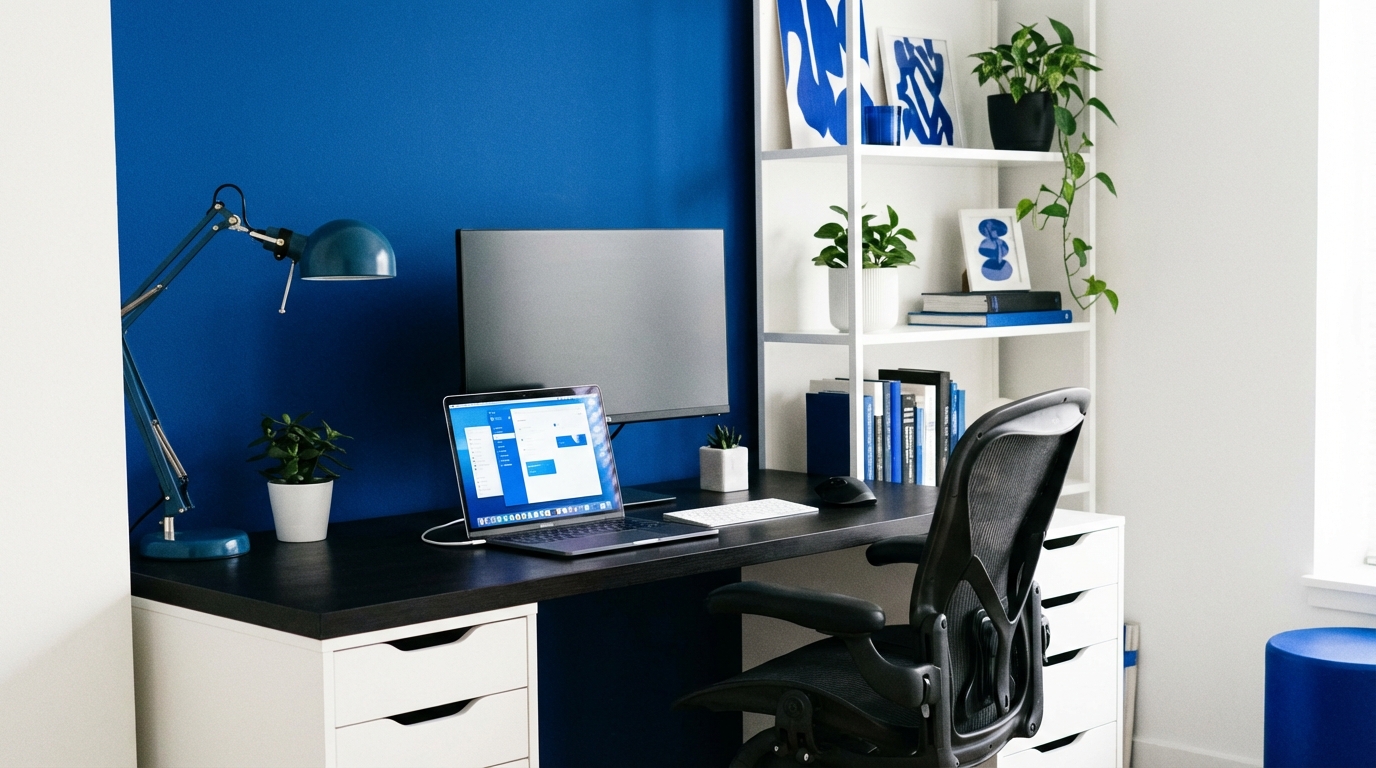
Last semester I realized my “home office” was just my bed, a laptop, and a half-dead plant judging me from the windowsill. My back hurt, my focus was gone, and my Zoom squares probably thought I lived in a cave.
Here is the blunt truth: your remote work life will either feel sharp and focused or foggy and chaotic, and most of that comes down to how you set up your space. You do not need fancy gear, but you do need to be intentional about your desk, chair, light, sound, tech, and routines so that your brain knows, “This is where work happens.”
Remote work readiness is less about expensive gadgets and more about designing a repeatable setup that makes good habits easy and bad habits hard.
Why Your Home Office Matters More Than You Think
I used to believe I just needed “discipline.” Then I tried writing a report from my bed while my roommate watched Netflix, and my discipline lasted about 7 minutes.
Your environment either fights you or helps you. For remote work, your room is your campus, your library, and your office all mashed together. That is a lot of roles for four walls and a cheap desk.
Here is what a decent home office does for you:
- Reduces friction: Everything you need is reachable so you do not interrupt focus every 10 minutes.
- Protects your body: Your back, neck, and wrists will quietly hate you or quietly support you.
- Clears mental clutter: Less visual chaos, fewer random triggers, more calm.
- Signals “work mode”: Your brain anchors that space to focus, not scrolling.
- Makes routines automatic: Same chair, same light, same tools builds an automatic rhythm.
If your setup makes work feel heavier, you will procrastinate. If your setup makes work feel lighter, you will start without overthinking.
Choosing Your Spot: Territory, Not Just “Somewhere”
The first hard question: where do you actually work?
In a dorm or small apartment, you probably do not have a spare room. So you think, “I will just work anywhere.” That is exactly how everything blurs together and you start answering emails at 1 am from your pillow.
Principles for picking a spot
Think like this: you are not just choosing a place; you are choosing a habit trigger. Ask:
- “Can I leave things here between sessions, or do I pack everything away daily?”
- “Is this place mostly quiet when I need to focus?”
- “Will my future self hate commuting across the whole apartment for every meeting?”
- “Will this mess with my sleep if I work from my bed every day?” (Spoiler: yes.)
If you cannot have a dedicated room, aim for a dedicated corner.
| Option | Pros | Cons |
|---|---|---|
| Separate room | Clear boundary, can close door, less noise | Rare in student housing, higher rent |
| Corner of bedroom | Always available, personal control of layout | Harder to separate sleep and work |
| Living room zone | More space, better light (often near windows) | Roommates, TV, shared traffic |
| Floating “mobile” setup | Flexible, good if space is tiny | No stable habit cue, more setup time each day |
Pick a place where work has a reserved seat, not a place where work is constantly apologizing for existing.
Negotiating space with roommates or family
If you share space, you are not just designing a desk; you are designing a treaty.
You might be taking a bad approach if you simply “hope” people stay quiet during your calls. That is not a strategy, that is wishful thinking.
Try this instead:
- Share your schedule: Put major meetings or classes on a shared calendar or a paper on the fridge.
- Mark “do not disturb” times: Even a sticky note outside your door or on your chair can help.
- Trade time blocks: “You get the quiet corner 9 to 11, I take it 1 to 3.”
- Agree on noise rules: Headphones for music, no loud phone calls right behind your chair.
If your current plan is “I will just work whenever it is quiet,” you are giving all control to randomness.
Desk Setup: Function Over Aesthetics
Pinterest shows candle-lit desks with plants and perfectly placed notebooks. Those look nice, but your spine does not care about your aesthetic; it cares about your angles.
Choosing or hacking a desk
You do not need a “real” office desk, but you do need:
- Enough surface area for laptop, mouse, notebook, maybe a second screen.
- Enough leg room so your knees do not hit stuff.
- A stable height so you are not hunched over.
If you cannot buy a desk, here are student-grade hacks:
- Kitchen table split: Reserve one end as your official “desk zone” and keep it reasonably clear.
- Storage box desk: Sturdy boxes plus a board or old shelf can form a surprisingly solid surface.
- Laptop riser alternative: Stack textbooks to raise your laptop screen to eye level.
Your desk is not a storage unit; it is a cockpit. Only keep tools you actually use during work hours within arm’s reach.
Desk layout for focus
Think of your desk in zones:
- Primary zone (right in front): Laptop/monitor, keyboard, mouse.
- Secondary zone (side): Notebook, pen, water bottle.
- Parking zone (far side/back): Phone, unused gear, decoration.
Bad habits to avoid:
- Phone directly in your main vision line.
- Random items that create visual noise: 8 cups, old receipts, three half-used notebooks.
- Cables everywhere that grab your attention every time you move.
You want to sit down and feel like the cockpit is ready, not like you need to clean before you can start.
Chair & Ergonomics: Protecting Future You
This is the part everyone ignores until their neck screams at them during exam week.
You do not need a fancy gaming chair, but you do need to stop treating your body like a free-standing tripod.
Basic ergonomic checkpoints
Aim for this setup:
- Feet flat on the floor (or on a box) instead of dangling.
- Knees at roughly 90 degrees and not squeezed under the desk.
- Hips slightly above knees so you are not curling forward.
- Back supported by the chair, not just hanging in space.
- Elbows near 90 degrees when typing, shoulders relaxed, not lifted.
- Screen at eye level or slightly below, so your neck stays neutral.
If your current habit is “I just sit however feels fine,” that usually turns into “I sit like a shrimp” after 20 minutes.
Hacks if you cannot buy a new chair
If your chair is a basic dining chair or random stool, you can still upgrade the experience:
- Back support: Roll a towel or use a small cushion to support your lower back.
- Seat height: If it is too low, fold a firm blanket or yoga mat to sit on.
- Foot support: Use a box or stack of books under your feet if they do not reach the floor.
- Rotation: If the chair is too soft, alternate between it and a harder chair across the day.
Ergonomics is not about comfort in minute one; it is about not being broken in hour three.
Sitting vs standing
Standing desks look glamorous online, but they can be overkill if your budget is student-level.
Still, feeling restless? Try:
- Raising your laptop on a shelf or high dresser for short standing sessions.
- Doing 5 minute standing breaks every 45 minutes, even if you keep a sitting desk.
- Stretching your hip flexors and chest between meetings.
Do not jump straight from “sit all day” to “stand all day.” Both extremes are rough on the body.
Lighting: Your Secret Productivity Cheat Code
Lighting sounds like background detail until you spend a whole day working under a dim yellow bulb and feel strangely tired.
I realized during a late study session that I was fighting both my assignment and my lighting at the same time.
Natural light vs artificial light
If you have a window, you hold a cheat code.
- Best: Desk placed perpendicular to a window (light from the side).
- Risky: Desk directly facing a bright window (camera exposure gets weird).
- Annoying: Window behind you causing screen glare.
When natural light is weak or the sun sets early, use layers:
- Overhead light for general brightness.
- Desk lamp aimed at the wall or desk, not directly at your eyes.
- Warm vs cool: Cooler (whiter) light keeps you alert; warmer light is calmer for evenings.
If your lighting makes your space feel like a cave, your brain will want to hibernate, not focus.
Lighting for video calls
For remote classes or interviews, your lighting says “prepared” long before your words do.
Good rules:
- Face your main light source, do not let it sit behind your head.
- If screen glare is an issue, soften the lamp with a white sheet of paper on the desk in front of it (never on the bulb).
- A cheap ring light or clamp-on LED can solve most “I am a shadow person” issues.
You do not need to look like a streamer, but you should not look like a witness hiding in a documentary either.
Noise, Distractions, and Boundaries
Remote work tries to mix focus with all the random life noise at home. The goal is not full silence; the goal is predictable sound.
Sound strategy
You probably sit somewhere on this spectrum:
| Type | Prefers | Good options |
|---|---|---|
| Silence worker | Minimal sound | Earplugs, noise canceling, white noise |
| Background noise worker | Low-level sound | Cafe noise playlists, soft instrumental |
| Music worker | Music with rhythm | Instrumental, lyrics in a language you do not follow |
If your home is loud:
- Invest in headphones before you invest in decor.
- Use white noise or soft loops to mask unpredictable noise.
- Schedule heavy-focus work for known quiet windows (early morning, late night, roommate class times).
Visual distractions
Sound is not the only distractor; clutter hits attention too.
Look around your current space and ask:
- “What in my field of view invites distraction?”
- “Is my bed too visually tempting from my desk?”
- “Is the TV visible from my screen?”
Simple fixes:
- Turn your desk so you cannot see the TV.
- Use a cheap room divider, curtain, or even a sheet on a string to block part of the view.
- Keep your bed made; an unmade bed keeps announcing “you could be sleeping right now.”
Your brain notices every object in your sightline, even when you think you are ignoring it.
Tech Setup: Gear That Actually Matters
You can waste a lot of money on gear you do not need. It is better to upgrade the bottlenecks that hit you daily.
Absolute basics
If you are doing remote work or remote classes, you need:
- Reliable laptop or desktop that handles your main tasks without freezing constantly.
- Stable internet that does not disconnect every time someone streams video.
- Headset or headphones with mic so people can actually hear you clearly.
- Webcam (built-in or external) that shows your face, not just a pixel blob.
If your budget is tight, prioritize in this order: internet stability, audio clarity, then visual quality.
A mediocre camera with good sound feels more professional than a sharp camera with echo and noise.
Keyboard, mouse, and screens
If you spend many hours typing or coding, small upgrades pay off fast.
- External keyboard: Lets you place your laptop screen at eye level without wrecking your wrists.
- External mouse: More precise, less strain than a trackpad for long sessions.
- Second screen: Old monitor or even a tablet as a second display reduces window juggling.
Budget hacks:
- Use books as a laptop stand instead of a fancy riser.
- Buy used monitors from local marketplaces or student groups.
- Use free software options to connect a tablet or old laptop as a secondary screen.
Cable management
This sounds minor, but messy cables make the desk feel chaotic and harder to clean.
Simple cable tricks:
- Use cheap Velcro straps or twist ties to group cables.
- Stick adhesive hooks under the desk to guide cable paths.
- Label similar cables with tape so you know which one belongs to what.
Tech should fade into the background and let you think about your work, not about which cable does what.
Software & Workflow: Making Remote Life Smoother
Your physical space sets the stage; your digital habits decide how the play goes.
If your laptop is a jungle of random files and 40 browser tabs, your brain will feel as cluttered as your desktop.
Core software categories
For most students and early-stage founders, you need tools in these buckets:
- Communication: Email, chat app, and video call platform.
- Scheduling: Calendar tool with reminders for classes, meetings, and deep work.
- Task management: To-do app or simple list system to track work.
- Document storage: Cloud folders for shared files and personal projects.
You do not need to chase every shiny productivity app. One tool per category is enough to run a solid remote setup.
Digital hygiene
Remote work is harder when your computer feels like an obstacle course.
Try these habits:
- Clean desktop weekly: Move messy files into simple folders.
- Standard naming: Use clear file names like “Course-Name_Assignment_Title_Date”.
- Tab grouping: Group browser tabs by project or class to reduce random wandering.
- Notifications: Turn off non-essential alerts during focus blocks.
You might be taking a bad approach if you let notifications interrupt you every few minutes and then blame yourself for not focusing.
Routines and Rituals: Teaching Your Brain to Switch Modes
Even with a perfect desk, remote work feels weird if you never “arrive” at work or “leave” work.
In a physical campus setting, the walk to class is a mental warm-up. At home, you roll from bed to laptop and wonder why your brain is still half asleep during the 9 am call.
Start-of-day rituals
You want a short sequence that tells your brain: “We are live.”
Examples:
- Make the bed, open the curtains, drink water, sit at the desk, and write a 3-item priority list.
- 5 minute stretch, coffee, turn on desk lamp, headphones on, open specific work apps.
Keep it short (5 to 10 minutes) and consistent. Over time your brain will latch onto these cues.
End-of-day rituals
Remote work can stretch into the night if you never shut it off. This is where burnout quietly walks in.
Strong closing moves:
- Write a “tomorrow” note: what you will do first when you sit down next time.
- Close all work apps and tabs.
- Physically clear the desk surface (even just stacking items neatly).
- Turn off the desk lamp and move to a different area of the room.
A clear “stop” ritual prevents work from leaking into every spare moment and eating your free time from the inside.
Backgrounds and On-Camera Presence
You do not need a studio, but your camera view says something about you before you speak.
What do you want it to say? “Prepared” or “I live in chaos”?
Background choices
Look at your camera preview. What is behind you?
Good options:
- Plain wall with a simple poster or shelf.
- Organized bookshelf or neat storage unit.
- Virtual background that is not distracting, if your real space is messy and unchangeable.
Avoid:
- Unmade bed with clothes scattered.
- People walking around behind you during calls.
- Bright window behind your head that turns you into a silhouette.
Camera positioning and body language
Aim for:
- Camera at or slightly above eye level.
- Head and upper shoulders visible, not just your forehead.
- Stable surface; no shaky “handheld documentary” feel.
Simple presence upgrades:
- Look at the camera when you speak, not just at your own face.
- Mute when you are not talking in large meetings to avoid accidental audio.
- Use headphones to avoid echo and feedback.
Physical & Mental Health in a Remote Setup
When your desk is five steps from your bed and three steps from your fridge, days can blur together in a strange loop: sit, stare, snack, repeat.
Remote work readiness is not just ergonomic; it is psychological hygiene.
Movement breaks
Your body does not like being a statue.
Try:
- Pomodoro style: 25 minutes work, 5 minutes move. Every 3 cycles, take a 15 minute break.
- “Every meeting, move”: stand or stretch for 2 minutes after each call.
- Use stairs, short walks, or simple bodyweight exercises as “reset” buttons.
You do not need a gym membership. You need deliberate interruption of stillness.
Managing mental load
Remote life mixes:
- Work or classes.
- Personal life.
- Side projects or startup experiments.
All in the same space. Your brain can feel crowded even if the room looks calm.
Practical habits:
- Single capture list: One place where every new task or idea goes, so you are not mentally juggling.
- Theme hours: Group similar tasks (meetings vs creative work vs admin tasks) rather than mixing everything.
- Tech-free zone or time: Have at least one part of the day where your workspace is off limits, even if it is just late evening.
Budgeting and Priorities: What To Buy First
If money is limited, throwing it at random gadgets is not smart. You want to fix the highest friction points.
Think in terms of “what makes work physically uncomfortable or repeatedly annoying?”
Priority ranking
Here is a practical order of upgrades for a student or early founder:
- Stable internet and basic headset (audio clarity).
- Chair and basic ergonomic tweaks (back and neck health).
- Laptop stand plus external keyboard/mouse (posture and comfort).
- Desk lamp and better lighting (eye strain and video quality).
- Second monitor or larger display (effort of multitasking).
- Nice-to-haves: decor, plants, higher-end gear.
If your budget is tight, spend on what touches your body or your daily work friction, not on what only looks impressive in a photo.
Second-hand and DIY
You do not have to buy everything new.
Ideas:
- Check student groups for used chairs, monitors, and desks.
- Ask family or neighbors if they have old office furniture stored.
- Use cheap materials like boards, crates, or leftover shelves for temporary surfaces.
- Re-purpose storage boxes, jars, or food containers as organizers.
A homemade but thoughtful setup beats an expensive but chaotic one.
Adapting Your Setup Over Time
Remote work readiness is not a one-time project. It is more like an experiment that you keep tweaking.
What works during midterms might fail when you start a new project or internship that demands more calls or deeper concentration.
Feedback loops
Every week or two, ask:
- “What annoyed me most about my setup this week?”
- “Where did I feel physical discomfort?”
- “Where did I lose time just dealing with my space or tools?”
Then pick one small adjustment:
- Reposition the lamp.
- Move the desk 90 degrees.
- Shift your call schedule when the house is quieter.
- Add a simple ritual before deep work.
You do not need a massive redesign; you need continuous small improvements.
When to say “this is good enough”
There is a trap here: endless tweaking. At some point the office setup becomes a form of procrastination.
A healthy rule:
- Spend more time working than improving your workspace.
- Do not wait for the “perfect” setup before starting meaningful work.
Remote work readiness is not about creating a showroom. It is about building a space where your ideas and projects actually move forward.