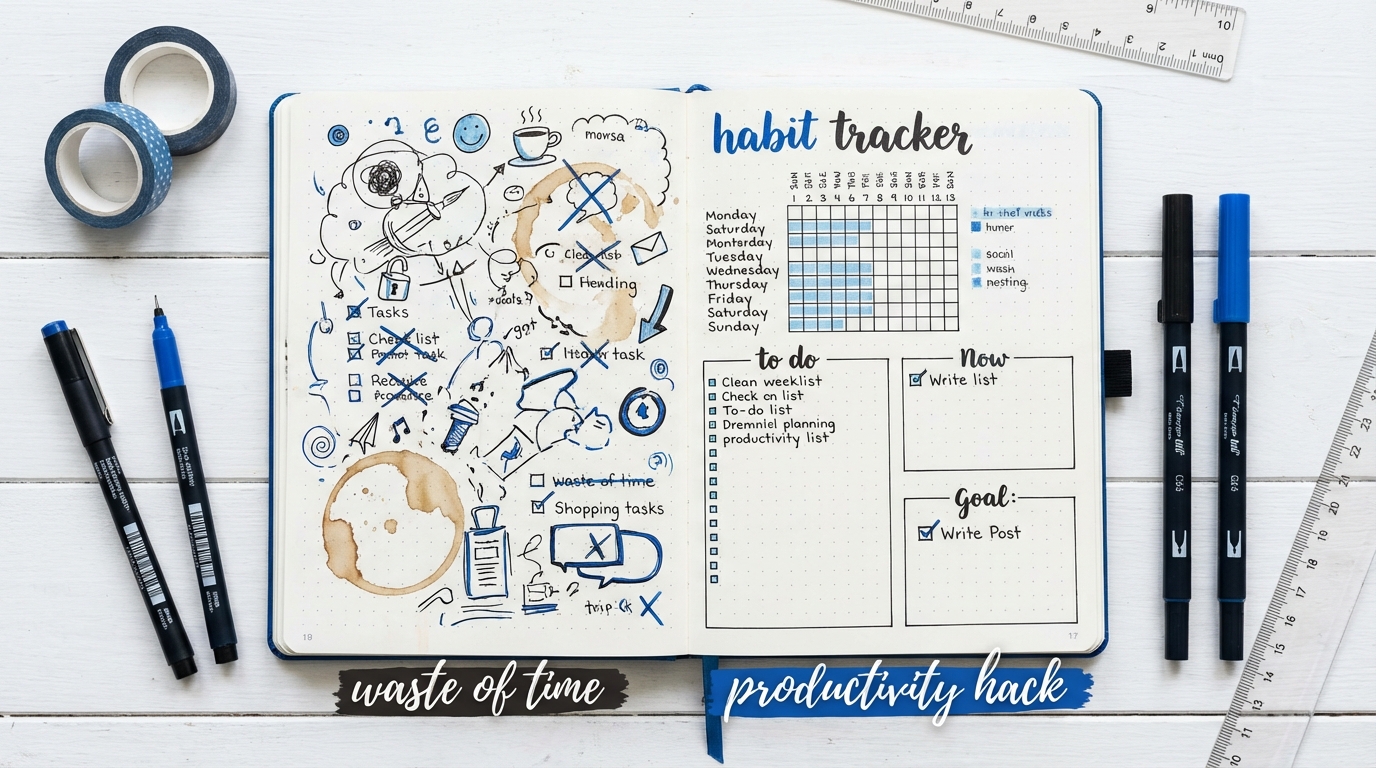
Last semester I realized I had spent 40 minutes color-coding a habit tracker and exactly 0 minutes doing the reading I made the tracker for. That was my first real “wait… is this productivity or procrastination with prettier stationery?” moment.
Here is the short answer: bullet journaling can be either a massive waste of time or a serious productivity boost. The difference is whether you treat it like a planning tool or a personal art project that you keep tweaking instead of actually working.
What bullet journaling actually is (once you strip away the Pinterest aesthetic)
I first heard about bullet journaling when a friend pulled out a dotted notebook in a lecture and started drawing tiny boxes with scary precision. I thought it was just an artsy to-do list. Then I realized it is basically three things merged into one system:
- A planner for your tasks and deadlines
- A log for what happened each day
- A notebook for thoughts, ideas, and long-term plans
The “bullet” part comes from writing things in short bullet points, usually with little symbols:
– A dot for a task
– A circle for an event
– A dash for a note
– A star for something important
You write them quickly, like shorthand. Then you “migrate” tasks that you did not finish to a new page or a new date. The whole point is low-friction planning that lives in one notebook instead of ten different apps.
Bullet journaling is supposed to be a fast, low-frills way to think on paper, not an art exam you sit every Sunday.
The problem is that social media often turns it into a craft hobby. That is when the system stops helping you work and starts consuming your study time.
What “waste of time” looks like vs “productivity hack” in real student life
During exam season, I started noticing a pattern among friends:
- Some had gorgeous spreads, washi tape, and hand lettering… and constant panic about falling behind.
- Others had messy notebooks with crooked lines and scribbles… and somehow finished projects early.
Same method in theory. Totally different outcome.
Let us split this into two extremes.
| Style | Looks like | What usually happens |
|---|---|---|
| “Waste of time” bullet journal | Perfect spreads, complex trackers, long setup rituals | You feel organized but do not touch the actual work |
| “Productivity hack” bullet journal | Simple lists, quick notes, minimal decoration | You spend a few minutes planning and then execute |
If your bullet journal takes longer to maintain than your hardest class, something is off.
Red flags that your bullet journal is wasting your time
Here are some patterns I noticed in myself and friends:
- You spend 45 minutes designing a spread and 10 minutes on the assignment it is supposed to track.
- You copy the same undone task through three weekly spreads without asking why you keep avoiding it.
- You feel guilty if a page looks “ugly,” so you rewrite it instead of solving real problems.
- You wait to start work until your layout is perfect for the new month or week.
- You use 6 different pens but cannot say what your top 3 priorities for the day are.
If 2 or more of those feel familiar, your bullet journal is probably functioning as “productive procrastination.” It feels orderly, but it is not moving your coursework, your startup idea, or your research forward.
Green flags that it is actually boosting your productivity
In contrast, when bullet journaling works, it looks almost boring:
- Your daily setup takes less than 5 minutes.
- You can open one page and see what matters today without flipping around.
- You write messy, honest notes like “email professor about lab access” instead of polished phrases.
- You regularly cross out tasks that no longer matter instead of migrating them forever.
- Your notebook helps you make decisions: what to do now, what to drop, what to schedule.
A productive bullet journal is not “pretty.” It is blunt, honest, and slightly chaotic, like an active brain on paper.
How bullet journaling can help an ambitious student (if you strip it down)
When I stopped treating my journal like an art project, three things clicked.
1. Capturing everything in one place
Campus life is noisy: lectures, group chats, job applications, club meetings, startup ideas that appear in the shower. If you try to hold that in your head, something will slip.
A stripped-down bullet journal can play three roles at once:
- Task center: assignments, emails, errands, deadlines
- Idea catcher: random concepts from lectures, startup angles, experiment ideas
- Memory log: quick notes on what you did, who you met, what you learned
You do not need separate notebooks or apps. One dotted book, one pen, everything goes there first. You can always move it to Notion, Trello, or a formal document later if needed.
2. Turning vague goals into concrete steps
When someone says “I want to launch a student startup this year,” that sentence hides about 50 steps. Bullet journaling helps you unpack big goals into small, non-scary actions.
For example:
| Vague goal | Broken into bullet journal entries |
|---|---|
| “Start a campus newsletter about student startups” |
– List: “Brainstorm 20 newsletter name ideas” – Task: “Ask 5 friends what they want to read about” – Task: “Set up simple signup form” – Task: “Write first issue draft on paper” |
| “Get better internship opportunities” |
– Task: “Write 1-page brag sheet of projects” – Task: “Ask TA for feedback on resume” – Task: “Apply to 3 roles this weekend” – Log: “Note which companies replied & why” |
The journal becomes a thinking tool: “What is the next visible step I can write as a bullet?” That is much more actionable than “be productive” or “work on project.”
3. Building an honest feedback loop
One thing I underestimated at first: the power of looking back. When you flip through old pages, patterns jump out:
- You always cram research for one class into Thursday nights.
- You keep avoiding a certain type of task (cold emails, coding, reading long papers).
- You throw energy at low impact items that are easy to check off.
Your old bullet journal pages become a mirror, and sometimes the reflection is uncomfortable but very useful.
You can then adjust:
– Move hard tasks to your high-energy time of day.
– Start saying no to low-value commitments.
– Build tiny rules like “no more than 5 tasks per day” to avoid fantasy schedules.
This is where bullet journaling shifts from “cute organization” to genuine self-management.
How to bullet journal without wasting half your Sunday
If you want it to be a productivity tool, you need constraints. Think of it like designing a minimum viable product: just enough to work, nothing extra.
Here is a practical setup that fits into actual student life.
Step 1: Choose the most boring tools possible
Fancy stationery stores are fun, but they are also traps. You do not need much.
- One notebook: dotted or lined, A5 size, nothing precious. If it feels too fancy, you will be afraid to make mistakes.
- One main pen: black or blue. Add one highlighter if you really want, but stop there.
If your system requires a brush pen set, a ruler, and perfect lighting, it will collapse during midterms.
The less your system depends on tools, the more likely you are to keep using it during stressful weeks.
Step 2: Build a very minimal structure
You do not need every classic bullet journal component. You only need what solves problems in your real schedule.
Here is a minimal structure that tends to work well for students:
- Index (2 pages): Number your pages and write a simple index at the front. Add big sections like “Startup ideas,” “Exam prep,” “Internship notes.”
- Future log (2 to 4 pages): Months listed with big deadlines: exams, project milestones, travel, application deadlines.
- Monthly overview (1 page per month): Key dates and 3 to 5 main goals.
- Daily log (most of the notebook): The core. Each day gets a list of tasks, events, and notes in bullets.
You can add others later if they solve real problems (habit trackers, budget logs, reading lists). Start small so you are not maintaining 10 spreads that you do not actually use.
Step 3: Learn the bullet symbols and keep them simple
Pick a tiny set of symbols and stick to them:
- “.” = task
- “o” = event
- “-“ = note
- “*” = important
- “>” = migrated (moved to another day)
- “x” = done
Example daily page:
Mon 17

. Finish lab report draft *
. Email Alex about pitch deck
o 3 pm: Group meeting in library
- Prof said exam will focus on chapters 3 and 4
. Read 10 pages of "Hooked" for startup club
At the end of the day, you mark tasks as:
– Done: change “.” to “x”
– Moved: add “>” and rewrite the task on a new date
– Cancelled: strike through if it no longer matters
This takes 2 to 3 minutes and gives you a clear sense of closure.
Step 4: Time-box your setup rituals
The main risk: your “planning session” expands to fill your whole evening.
Set hard time limits:
- Daily planning: 5 minutes max. Quick brain dump, pick top 3, done.
- Weekly review: 15 to 20 minutes. Glance back, notice patterns, set next week.
- Monthly setup: 20 to 30 minutes. New monthly page, update future log, reset goals.
You can even write at the top of your weekly review: “Start: 19:10 / End: 19:30” to keep yourself honest.
If you need an entire study block just to “set up your journal for the month,” the system is serving itself, not you.
Step 5: Make it brutally honest, not performative
The moment you start thinking “how would this look on Instagram,” productivity drops. The pages stop being for you and become for some imaginary audience.
Signs your journal is honest:
- You write messy thoughts: “I keep avoiding stats, need new study strategy.”
- You cross things out aggressively instead of rewriting them neatly.
- You admit failures on the page: “Did not study today. Watched 4 hours of YouTube. Why?”
- You write half-formed startup ideas even if they sound silly.
The goal is self-awareness, not aesthetics.
Bullet journaling vs digital tools: do you need both?
In student circles, there is always that debate: “Are you a Notion person or a pen-and-paper person?” Honestly, the divide is mostly artificial. Each medium is good at different things.
Here is how they compare:
| Pen & paper bullet journal | Digital planners / apps |
|---|---|
| Very low friction for capturing thoughts | Better for recurring tasks and reminders |
| Physical memory of what you did and thought | Searchable, easy to filter and reorganize |
| Encourages focus, no notifications | Syncs across devices, good for collaboration |
| Good for reflection and slow thinking | Good for projects with many moving parts |
For many students, a hybrid approach works well:
- Use your bullet journal for daily planning, idea capture, reflection, quick notes during lectures or meetings.
- Use digital tools for big projects, shared work, calendars with alarms, and long documents.
The key is to avoid double work. If your bullet journal and your app both require full maintenance, you are leaking time. Let one be your master plan and the other a support tool.
Where bullet journaling really shines for student builders and founders
If you are trying to launch something while studying (a startup, a club, a campus newsletter, a research project), your schedule is even more chaotic. Here is where the bullet journal format can help.
1. Tracking progress on fuzzy, self-directed work
Classwork comes with deadlines that someone else set. Building your own thing does not. That makes it easy to drift.
A bullet journal gives shape to self-directed work:
- Create a spread for your project: name, goal, rough timeline.
- Break the next 2 weeks into very small tasks: “Interview 3 students,” “Sketch landing page layout,” “Draft problem statement.”
- Scatter those tasks across your daily pages instead of leaving them as one overwhelming block.
Then your days show a clear mix: “1 hour lab, 1 hour startup research, 30 minutes reading.”
You can also log small wins that never make it into official reports:
– “Talked with senior about their failed app and what they would change.”
– “Tested pricing idea with 2 friends, both said too high.”
Over time, you build a narrative of progress, which is easy to forget when you are inside the grind.
2. Managing ideas before they evaporate
One of the worst feelings: having a smart thought during a late lecture, then losing it by the time you reach your dorm.
Use specific sections for different “idea zones”:
- “Startup sparks”
- “Experiments to try in lab”
- “Articles or videos to create”
When an idea hits, you do not need to judge it. Just flip to that section, jot a bullet, and return to the moment. Once a week, scan that section and mark the ones that still seem interesting with a star.
This keeps your brain from hoarding half-formed thoughts in working memory, which drains focus.
3. Preparing for pitches, interviews, and presentations
Before a pitch night or an internship interview, I often use my bullet journal as a rehearsal space. It feels less intimidating than a formal doc.
You can:
- Write a quick “story spine” for your project or experience.
- List likely questions and short bullet answers.
- Note key numbers, examples, or metrics you want to mention.
- Reflect afterward: “What landed well? Where did I stumble?”
Your bullet journal turns into a quiet lab where you rehearse tiny pieces of your future career.
The low-pressure format encourages honesty. You can admit weaknesses or confusion in ways that are harder to do in front of others.
Common mistakes students make with bullet journaling (and what to do instead)
I will push back on a few common habits here, because they look productive but usually are not.
Mistake 1: Designing complex habit trackers that you abandon in a week
Those 30-day grids with gym, water, reading, meditation, language learning, and sleep all on one page look impressive. But they can quickly turn into guilt dashboards.
A better approach:
- Track at most 1 to 3 habits at a time.
- Pick habits that are connected to your current season (exam prep, recruiting, building a product).
- Use a very simple format: write the habit at the top of your daily page and add a checkmark if you did it.
Goal: get feedback, not create a mural of checkboxes.
Mistake 2: Rewriting tasks instead of asking hard questions
If you keep migrating “Start literature review” or “Build basic prototype” for 2 weeks, the problem is not your layout.
Ask:
- Is this task too big? Can I split it into 10-minute moves?
- Am I scared of this because I feel underqualified?
- Do I actually need to do this at all, or am I doing it for appearance?
Then rewrite honestly:
– “Spend 10 minutes picking 3 papers to read.”
– “Make ugly prototype that only I will see.”
– Or: “Delete this task; does not matter for my real goal.”
Your journal should help you decide, not just preserve your original plan in ink.
Mistake 3: Copying systems from influencers whose lives are nothing like yours
The perfect layouts you see online often come from people whose full-time work is literally designing layouts. Your life has labs, group work, part-time jobs, and maybe a side project.
You do not need:
- Hour-by-hour spreads for an entire month.
- A separate tracker for every area of your life.
- Decorative fonts for every header.
Start with your constraints:
– How many hours can you realistically spend planning each week?
– When during the day do you naturally reach for a notebook?
– Where do you usually get derailed (social media, last-minute invites, vague tasks)?
Then design your bullet journal to address those, not to mirror a template.
Mistake 4: Treating the bullet journal as a memory, not a tool
Some students treat their notebook like an archive that has to be perfect “for future me.” That pressure slows everything down.
Better mindset:
The bullet journal is a scratchpad for current you. Future you only needs the patterns and the lessons, not flawless pages.
You can always:
– Tear out pages you hate.
– Start mid-page with a new layout.
– Scribble on top of something that no longer applies.
Movement beats preservation.
How to test whether bullet journaling is worth your time
If you are unsure whether this method is helping or hurting, run a simple experiment over 2 weeks.
Week 1: Use your current approach
Keep doing what you already do, whether that is a decorated bullet journal, only digital tools, or no system at all. Track:
- How many hours each week you spend “organizing” (planning, rewriting lists, tweaking systems).
- Whether you know your top 3 priorities each day.
- How often you lose track of deadlines or forget small tasks.
No judgment, just observe.
Week 2: Try a stripped-down bullet journal
For 7 days, use this exact rule set:
- One notebook, one pen.
- Daily page with:
- 3 most important tasks (MITs).
- A few smaller tasks or notes.
- Quick log of what actually happened.
- 5-minute review at night: mark done, moved, cancelled.
- No elaborate spreads, no decoration.
At the end, compare:
| Question | Week 1 | Week 2 |
|---|---|---|
| Did you finish more truly important tasks? | ||
| Did you feel less mentally scattered? | ||
| How many hours went to “managing” vs doing? |
If Week 2 feels noticeably better, keep going and only add features that solve clear problems you feel, not features that look cool online.
If Week 2 feels like clutter, your brain might work better with pure digital tools. That is not a failure, just a data point about how you focus.
So… is bullet journaling a waste of time or a productivity hack?
From watching classmates, startup teammates, and my own trial-and-error, I have ended up with this view:
Bullet journaling is a productivity hack only when it stays slightly under-designed and heavily used.
It wastes time when:
- The notebook becomes a performance, not a tool.
- You write more about work than you spend doing the work.
- You copy influencer systems that do not match your actual life.
It pays off when:
- You capture tasks and ideas fast, in one place.
- You review your pages just enough to spot patterns and adjust.
- You let the journal be messy, honest, and focused on what moves you forward.
If you are a student trying to balance classes, a possible startup, campus commitments, and maybe some version of a social life, your planning system should feel like a quiet ally, not another assignment.
Test it. Strip it down. Let the notebook earn its place in your backpack by helping you ship real work, not just pretty pages.